
How Iceberg Data Is Collected, Processed, and Visualized in GIS
Climate system, ocean circulation, and maritime security all rely on icebergs as their main components. Tracking icebergs’ size, movement, and melting rates is essential to climate studies, navigation of ships, and environmental protection. The use of Remote Sensing, Satellite Imagery, and Geographical Information Systems has allowed for the collection, processing, and visual representation of iceberg data to a level that has never been achieved before.

Iceberg Data Collection Methods
Iceberg data collection relies on a combination of satellite-based, aerial, and in-situ observations. Each method contributes unique spatial and temporal insights.
1.1 Satellite Remote Sensing
Satellite imagery is the primary source of iceberg data due to its wide coverage and frequent revisit times.
Common satellite systems include:
Synthetic Aperture Radar (SAR) (Sentinel-1, RADARSAT)
Optical satellites (Landsat, Sentinel-2, MODIS)
Altimetry missions (ICESat-2, CryoSat-2)
Advantages of SAR for iceberg detection:
Operates day and night
Penetrates cloud cover and polar darkness
Excellent contrast between ice and open water
1.2 Aerial Surveys and Drones
Aircraft and UAVs (drones) provide high-resolution imagery for targeted iceberg monitoring near coastlines or research stations. These surveys are often used for the validation of satellite data.
1.3 GPS and Ocean Buoys
Some icebergs are fitted with GPS trackers or monitored indirectly using oceanographic buoys. These instruments provide precise movement, drift velocity, and melt rate data.
Iceberg Data Processing Workflow
Raw iceberg data must be processed before it can be used effectively in GIS platforms. This workflow typically involves multiple geospatial and image-processing steps.
2.1 Image Preprocessing
Satellite imagery undergoes preprocessing to improve accuracy:
Radiometric correction
Geometric correction
Noise reduction (especially for SAR data)
Atmospheric correction (for optical imagery)
2.2 Iceberg Detection and Classification
Icebergs are extracted using automated or semi-automated techniques:
Thresholding (based on reflectance or backscatter values)
Edge detection algorithms
Machine learning and deep learning models
Object-based image analysis (OBIA)
Detected icebergs are classified by:
Size
Shape
Area
Perimeter
Elevation (if altimetry data is available)
2.3 Vectorization and Attribute Creation
Raster-based iceberg detections are converted into vector features (points or polygons) for GIS analysis. Each iceberg feature is assigned attributes such as:
Iceberg ID
Surface area
Date of observation
Drift direction and speed
Estimated mass or thickness
Storing and Managing Iceberg Data in GIS
Once processed, iceberg datasets are stored in spatial databases for long-term analysis.
3.1 Common GIS Data Formats
Shapefiles (.shp)
GeoPackage (.gpkg)
GeoJSON
Raster formats (GeoTIFF, NetCDF)
Spatial databases (PostGIS, ArcGIS Enterprise)
3.2 Temporal Data Management
Iceberg monitoring is inherently time-dependent. GIS systems manage this using:
Time-enabled layers
Spatiotemporal databases
Metadata standards (ISO 19115, CF conventions)
Visualizing Iceberg Data in GIS
Visualization is a critical step for analysis, communication, and decision-making.
4.1 Static GIS Mapping
Using software such as ArcGIS Pro or QGIS, analysts can create:
Iceberg distribution maps
Size classification maps
Density heatmaps
Proximity maps for shipping routes
4.2 Time-Series and Animation
Time-enabled GIS layers allow users to visualize iceberg drift over time:
Animated trajectories
Seasonal movement patterns
Breakup and melting events
4.3 3D Visualization
3D GIS and elevation data enable visualization of iceberg height and volume:
Integration with bathymetry data
Iceberg-ocean interaction modeling
Melt rate visualization
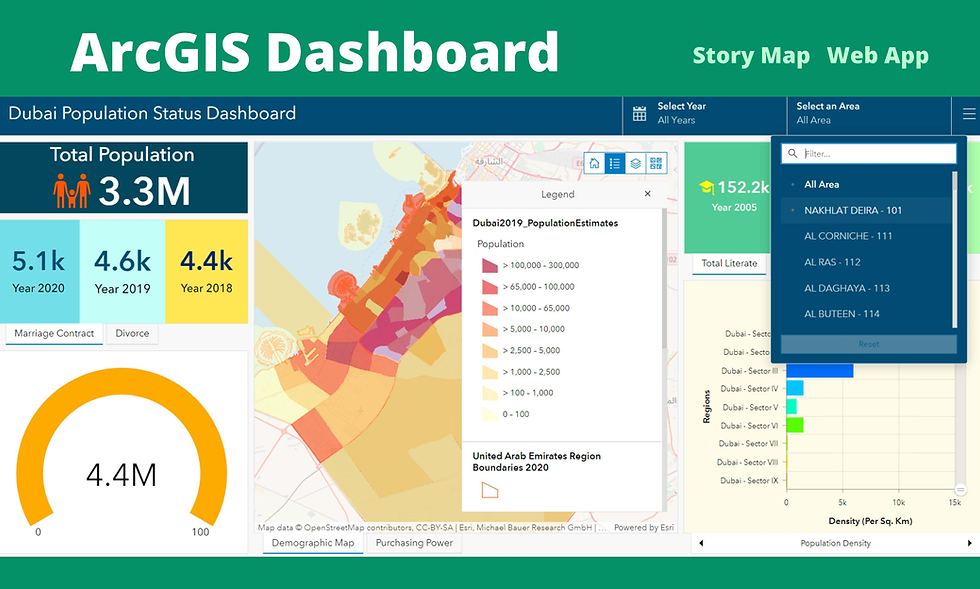
4.4 Web GIS and Dashboards
Iceberg data is increasingly shared through web GIS platforms, such as:
ArcGIS Online
Mapbox
OpenLayers
Interactive dashboards display:
Real-time iceberg tracking
Alerts for maritime navigation
Climate trend indicators
Application of Iceberg GIS Analysis
The Iceberg GIS process has many application areas, including:
Research on Climate Change.
Models for Rising Sea Levels.
Maritime Safety and Planning Shipping Routes.
Studies of Polar Ecosystems.
International and National Monitoring Programs.
GIS, or Geographic Information Systems, utilize advanced remote sensing and geospatial processes to analyse, create, and display all data related to icebergs using different technologies (including Satellite SAR imagery and web-based interactive maps) to provide a complete picture of what is happening with icebergs and how they affect the planet on a global level.
As climate change continues to have a large impact on polar ice melting, GIS-based iceberg tracking will be necessary for researchers to protect our environment and to help improve global safety.
For more information or any questions regarding Iceberg Data, please don't hesitate to contact us at
Email: info@geowgs84.com
USA (HQ): (720) 702–4849
(A GeoWGS84 Corp Company)


Comments